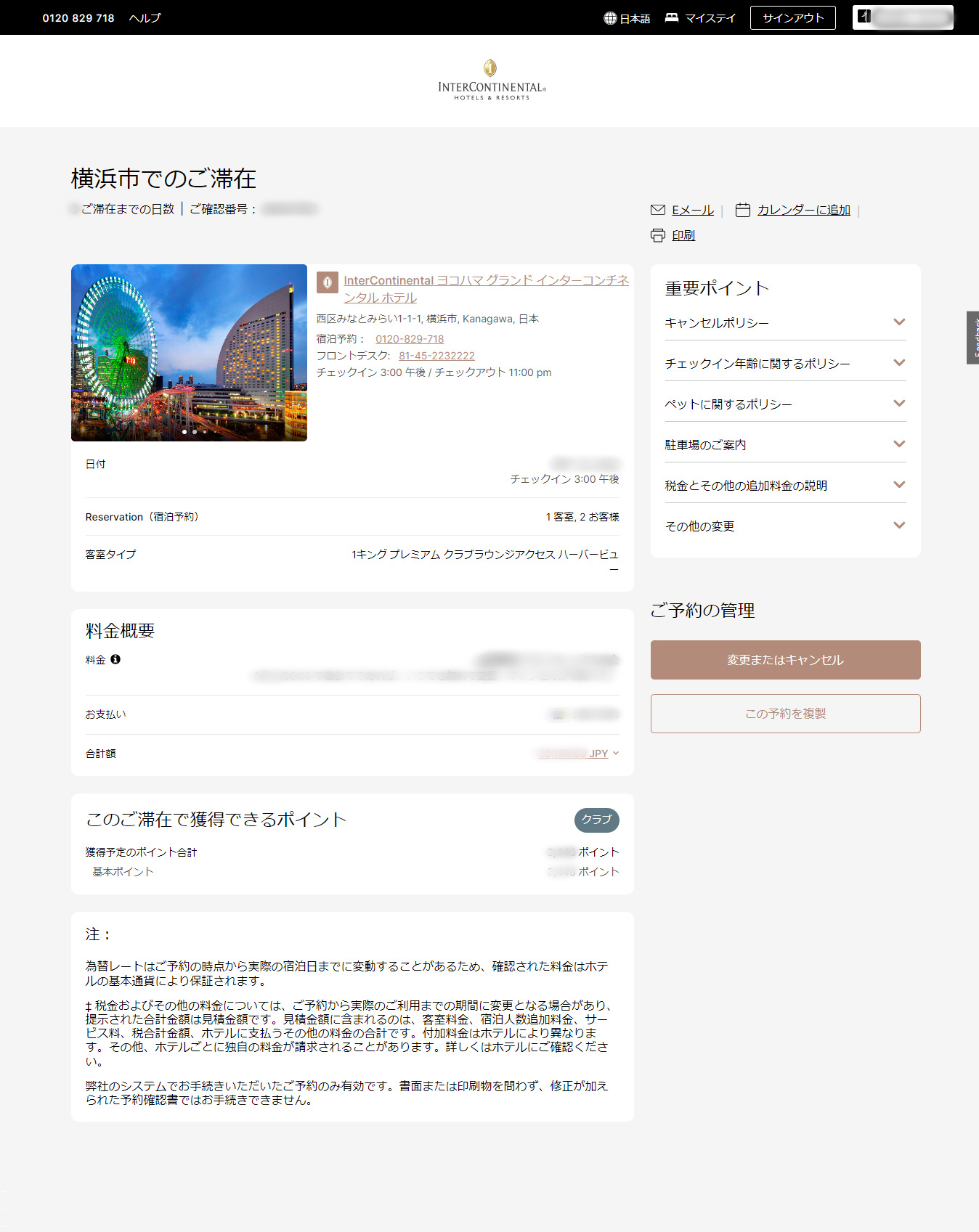
Club InterContinental is a signature service offered by InterContinental Hotels & Resorts.
Guests enjoy a range of exclusive privileges, including access to a dedicated reception and the Club Lounge, as well as food presentations such as breakfast and cocktail hour.
No membership or enrollment is required.
Simply book an eligible room or package to enjoy an elevated stay.
View service details
[Club InterContinental Rooms (Club Rooms)]
Premium Club Lounge Access
Club Lounge Access Suites with Panoramic View
Royal Suite
[Club Room Accommodation Packages]
Best Flexible Rate
Early booking discount (Book Early & Save, Advance Saver)
In-room breakfast
Anniversary & Special Occasion Packages
An Indulgent Dinner for Two (in-room dinner)

Accommodation packages offering Club Lounge access only are also available.
Club InterContinental

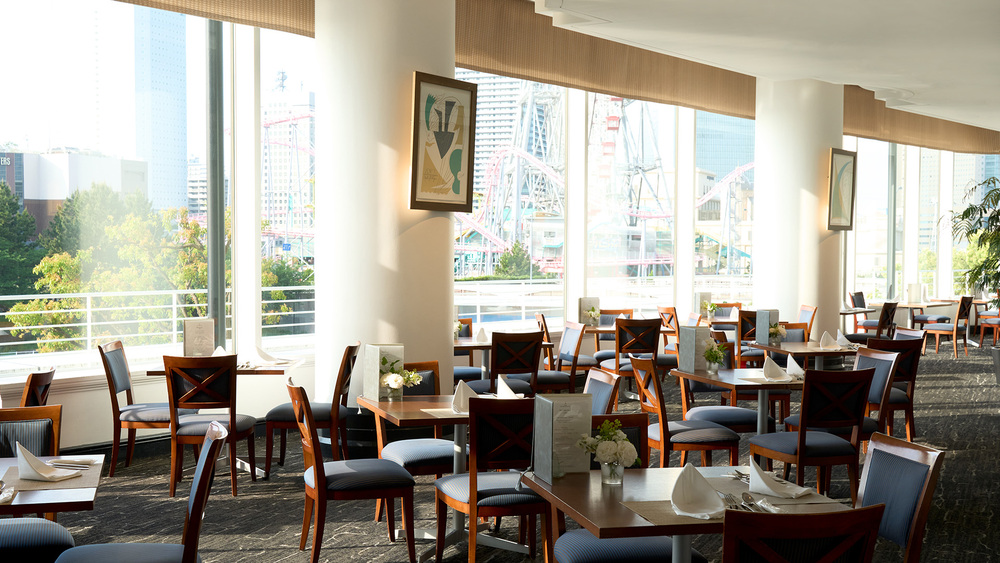
Elevate Your Stay with Enhanced Comfort
-
- Terms & Conditions
- *Rates are displayed on the booking site.
*Rates may vary depending on availability and demand at the time of booking
Details
How to Book on the IHG Hotels & Resorts Official Reservation Website
This guide explains how to book Club InterContinental through the IHG Hotels & Resorts official website.
*Reservations can also be made via the IHG Hotels & Resorts official app.
1. Visit the IHG Hotels & Resorts official booking website
View the InterContinental Yokohama Grand booking page2. Search Criteria
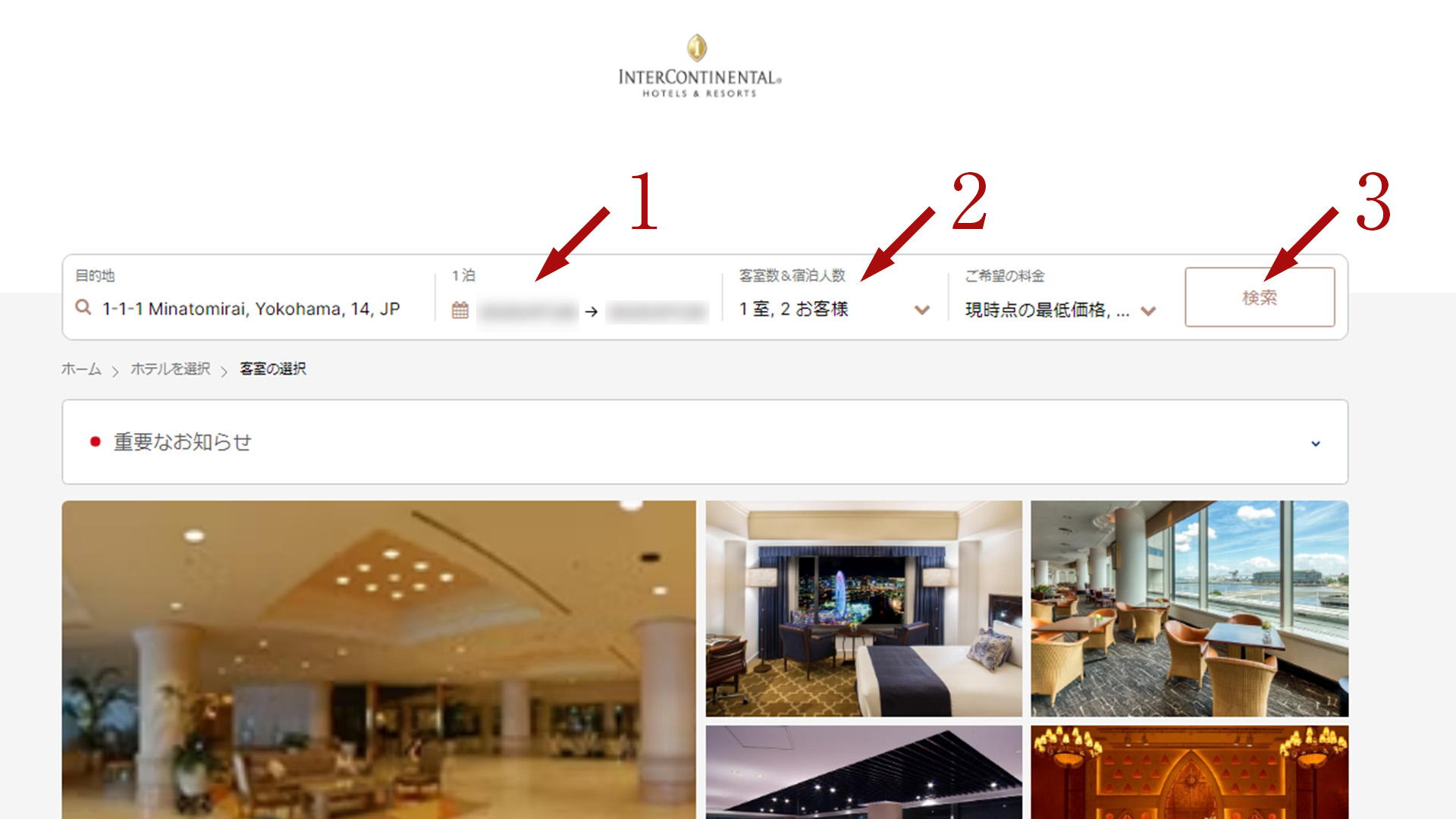
Please review the following details on the reservation page.
- 1. Select your check-in and check-out dates.
*The default setting is "Today" - 2. Select the number of rooms and guests.
*On the IHG booking site, “Children” refers to children sharing a bed. If a bed is required, please include the child in the number of adults. - 3. Click "Search" with your selected criteria.
3. Refine Your Room Search
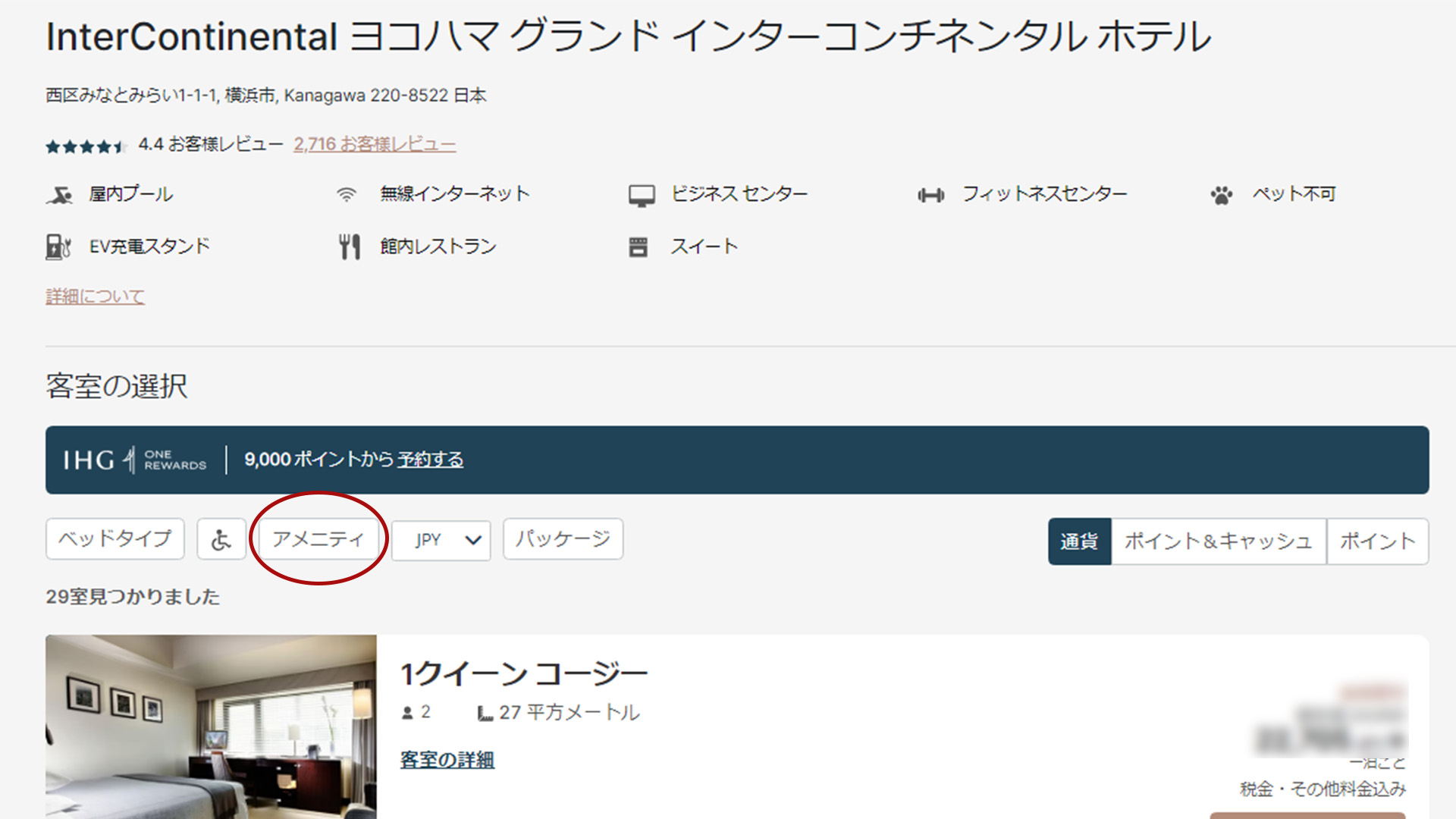
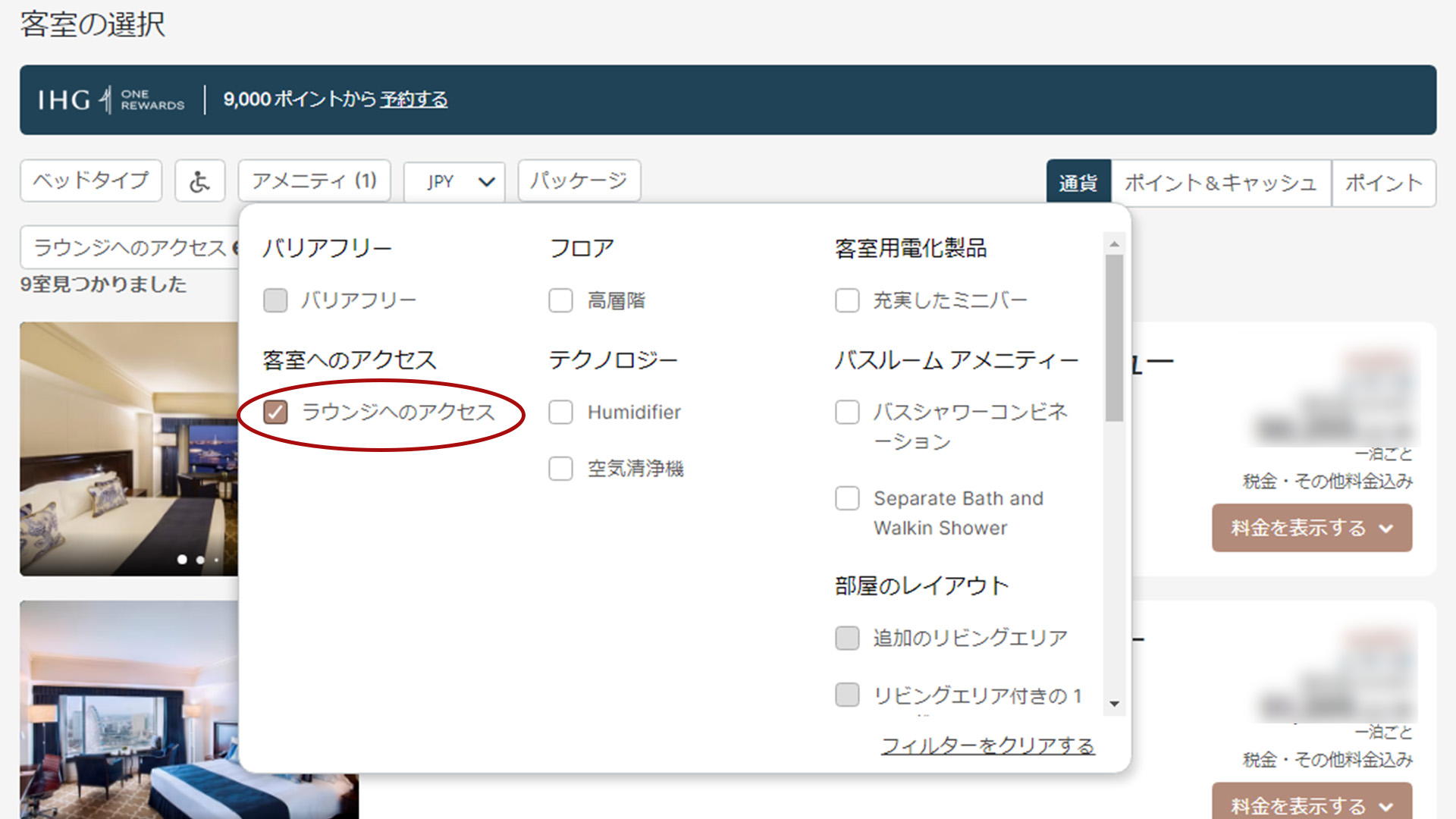
View only rooms with Club Lounge access
- 1. Under Room Selection, click Amenities
- 2. Check Lounge Access to display rooms that include Club Lounge access.
4. Options
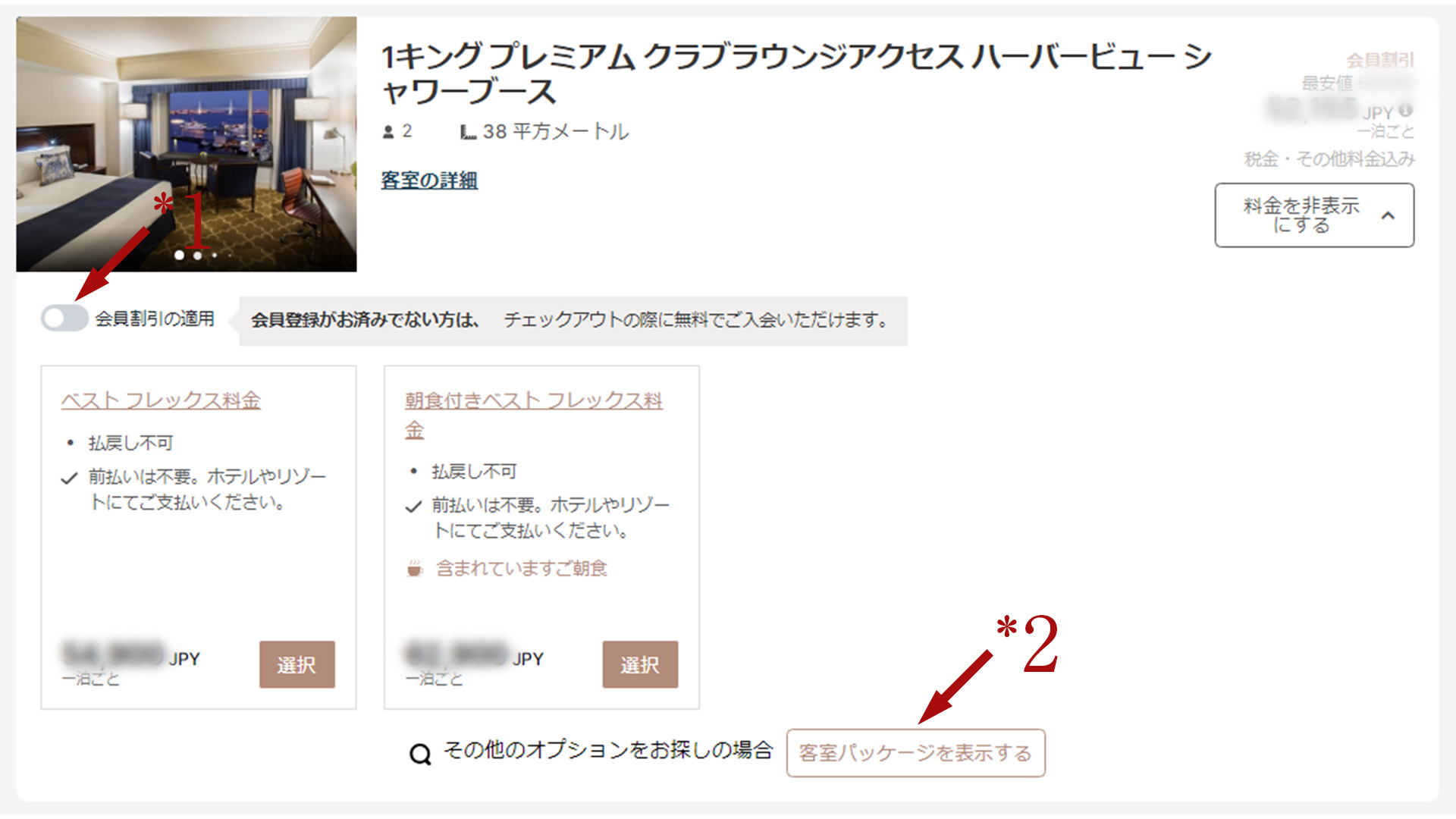
Choose your room rate
- ・Click View Rates to see the available rates for each room.
- Click Select next to your preferred rate.
- *1. Member discounts are applied by default. If you are not an IHG One Rewards member or prefer not to view member rates, turn off Apply Member Discount.
- *2. Click View Room Packages to see available options based on your selected search criteria.
5. Review and Complete Your Reservation
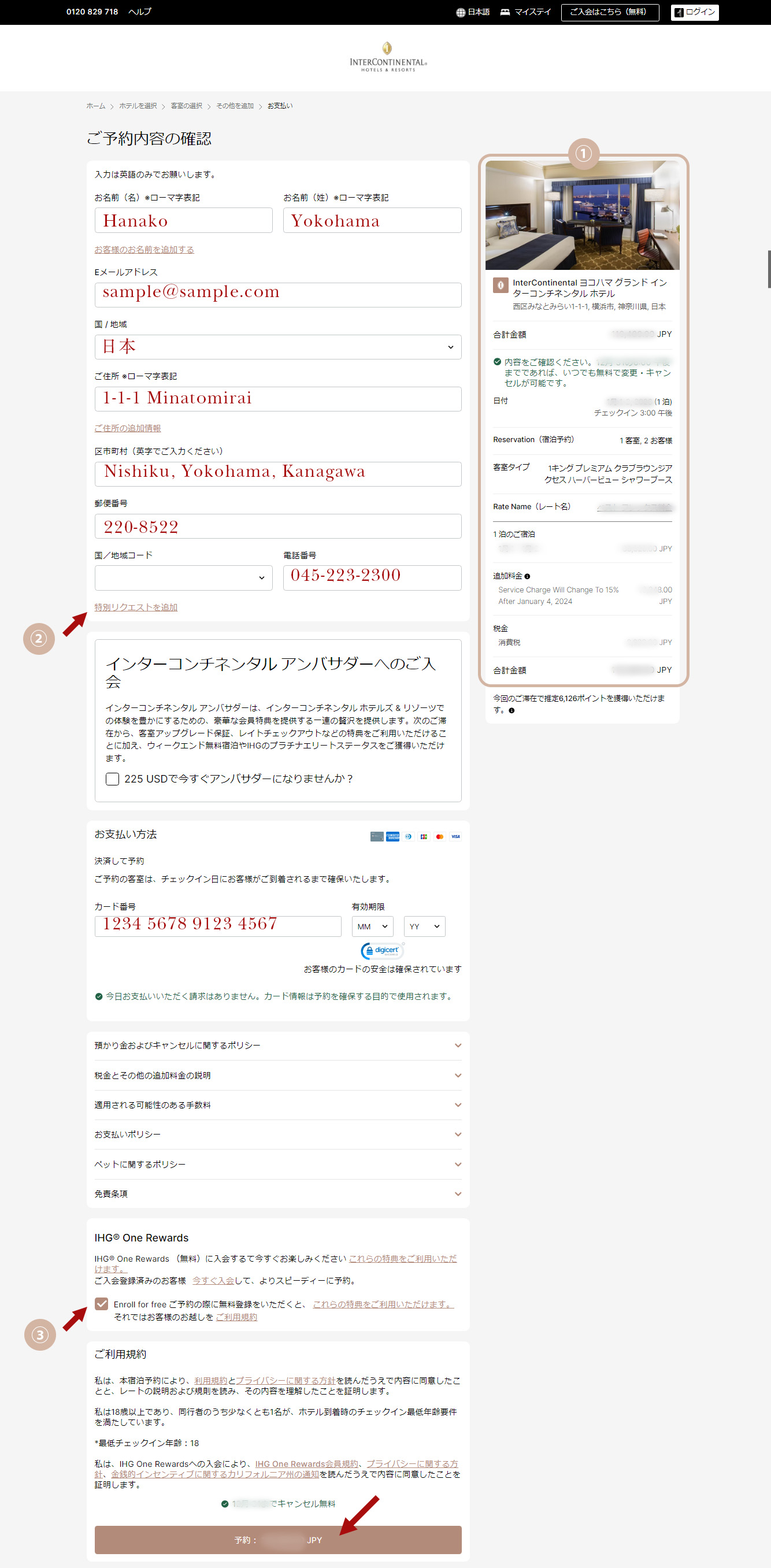
Please review your reservation details. If everything is correct, enter the required information and click Book: xxx,xxx JPY.
Please enter your information using the Latin alphabet and half-width numbers. Japanese characters (kanji, hiragana, or katakana) cannot be accepted due to system limitations.
- ① Please review your reservation details, including the total amount, change and cancellation deadlines, stay dates, number of rooms and guests, room type, and rate name (package).
- ② Use Add Special Requests to share any preferences related to your stay. For packages, you may also indicate preferred times for dinner or other reservations. If you have allergies or any special circumstances, please include them here. Entries must be made in English using half-width alphanumeric characters only.
- 3. IHG One Rewards is the complimentary loyalty program of IHG Hotels & Resorts. Registration provides immediate access to member benefits, allowing you to enjoy a wide range of privileges on future stays. If you prefer not to enroll, please uncheck the box.
6. Completed
Once your information has been verified, your reservation is complete.
- ・This is an example of the reservation confirmation screen.
- ・You may modify or cancel your reservation within the applicable time period. You can also review your reservation details in the confirmation email.
- ・登録されたメールアドレス宛てに予約予約メールが送信されます。メールは InterContinental@tx.ihg.com の送信専用アドレスより自動配信されております。